Migrate from MEE6
Change the bot.
Keep the history.
Guardy Bot reads your server's public MEE6 leaderboard and shows you the full result before a single row changes. Can't reach it? Upload or paste a saved leaderboard JSON (up to 8 MB) instead. Imported members keep their XP, and their levels are recalculated on the same MEE6 curve.
Three steps, one review
Connect, preview, import.
WhereAfter signing in, choose the server you administer, then open Levels → Import.
- 1Make the MEE6 leaderboard public
Enable public leaderboard visibility in MEE6, then start the import for the server you administer. If Guardy Bot cannot reach it, save the JSON from the public leaderboard and upload or paste it as the file fallback.
- 2Review every change
The wizard checks each row for duplicates, bad IDs, impossible XP and the expected level, then shows exactly what will change.
- 3Apply once, safely
Everything applies in one go. If anything fails, your current levels stay exactly as they were. After a successful import, Guardy Bot records the member privacy notice.
Why levels remain identical
Same curve. Independent proof.
XP needed to advance from level L is:
5L² + 50L + 100Cumulative XP through level L is:
5L(2L² + 27L + 91) / 6Both dashboard and bot implementations were checked against 800 real MEE6 players across three servers: zero XP or level differences.
Only a live read of the public MEE6 leaderboard brings over MEE6 reward-role definitions; a saved JSON file does not. The wizard shows those reward roles separately and applies them only if you opt in.
External source checked 27 August 2026: MEE6's official dashboard and leaderboard controls.
Real screens · sample data
See every step before you start.
These screens come from a Guardy Bot development dashboard, filled with a made-up 12-member MEE6 leaderboard, so no real members appear.
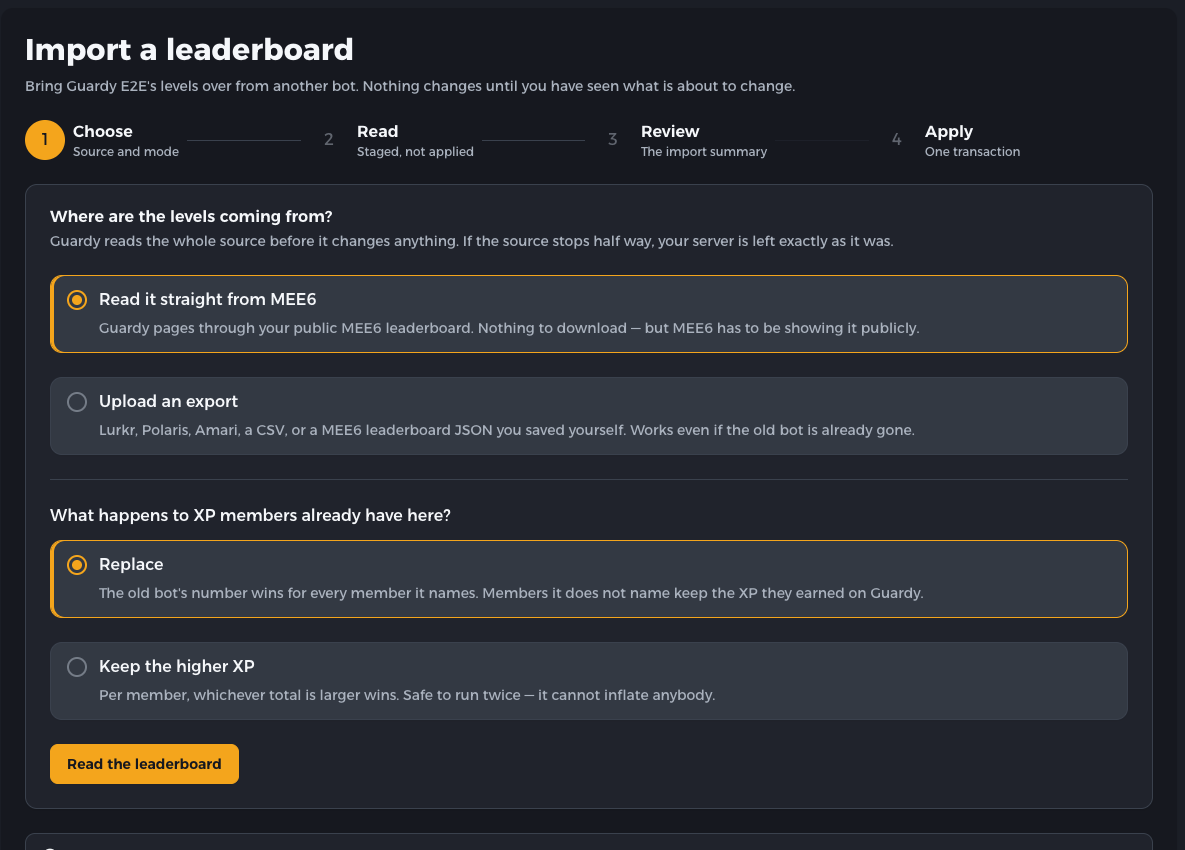
1. Choose the source and merge rule. Read the public MEE6 leaderboard directly, or switch to a saved file; then choose Replace or Keep the higher XP. 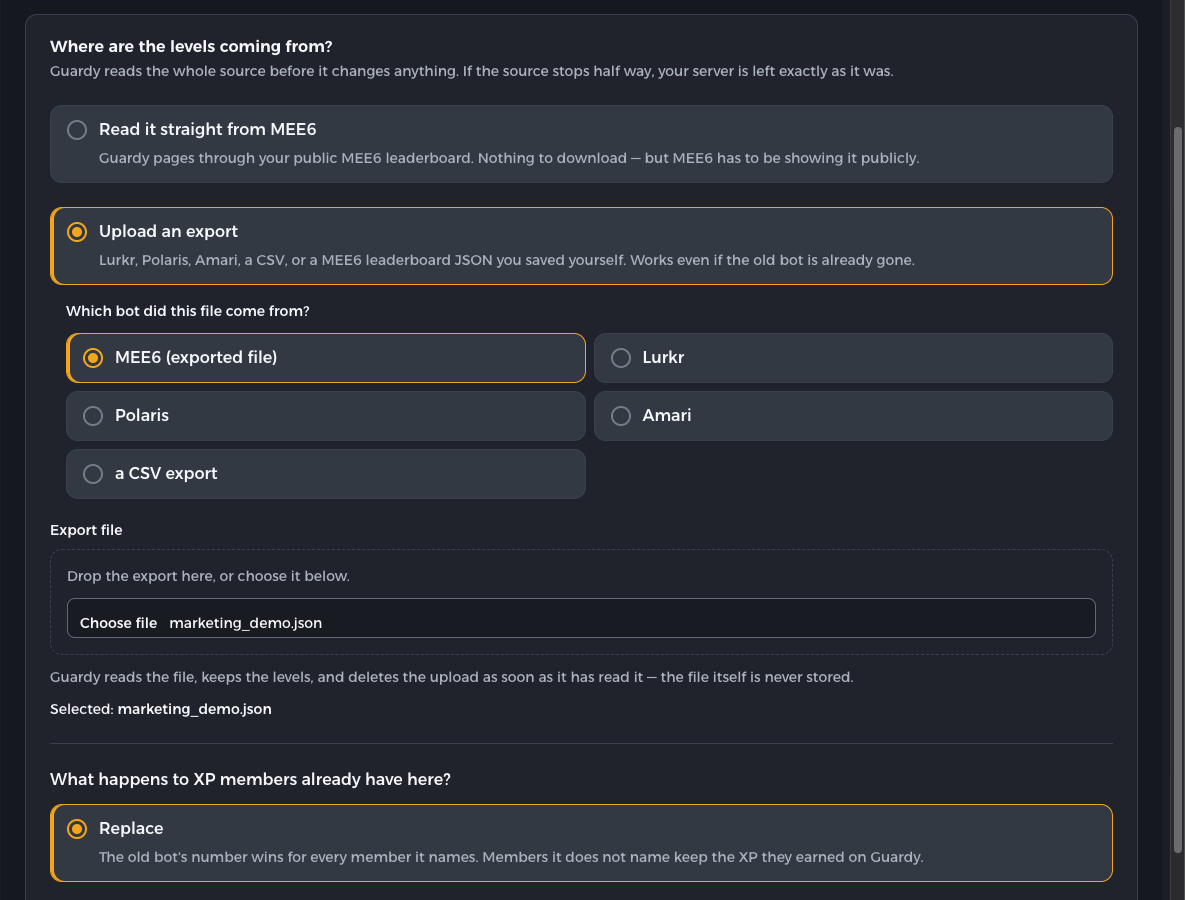
2. Select the fallback file. The example uses the synthetic marketing_demo.jsonMEE6 response. Guardy Bot reads it for the preview and does not keep the original file.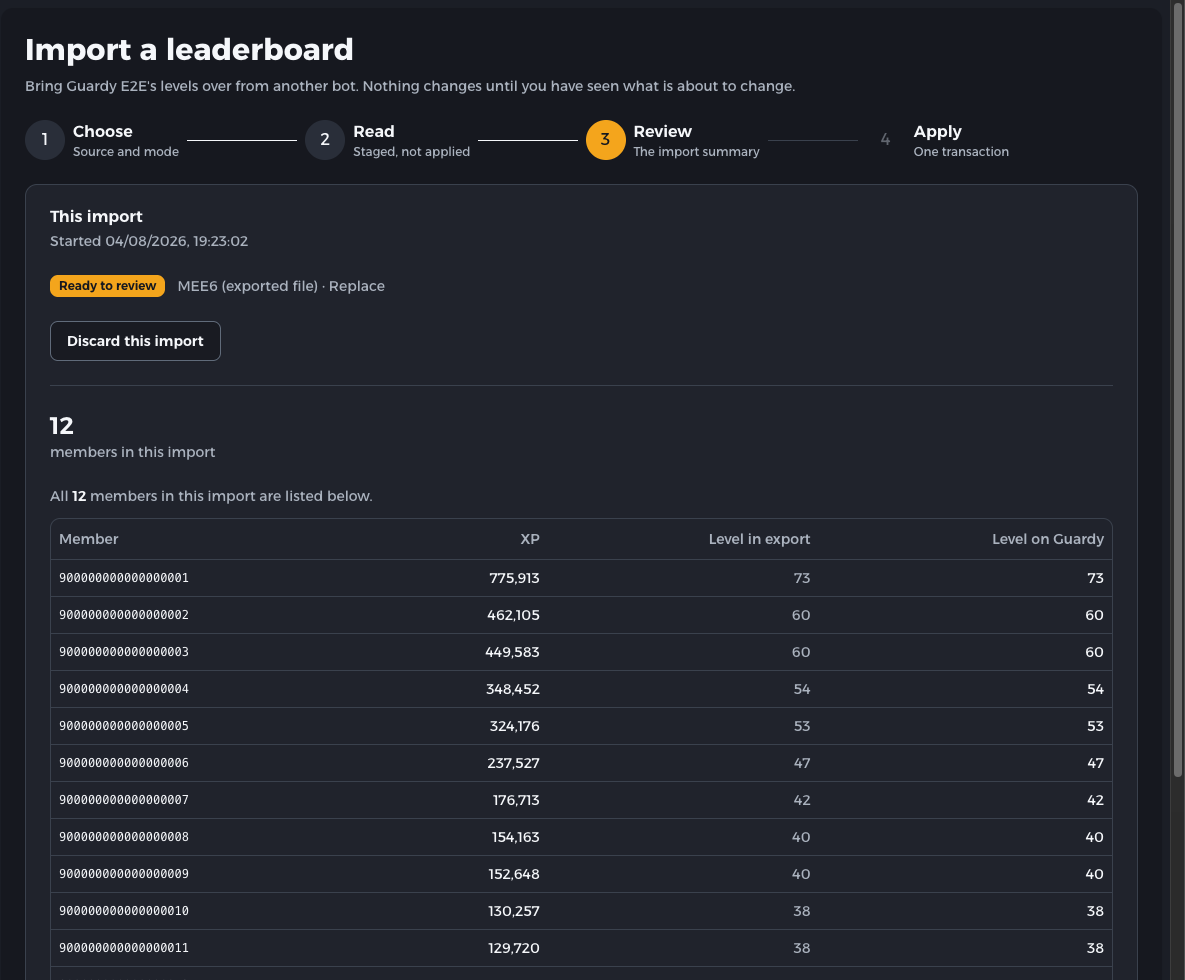
3. Check every level before anything changes. All 12 sample members are visible, and each MEE6 level matches the level Guardy Bot calculated on its own, row by row. 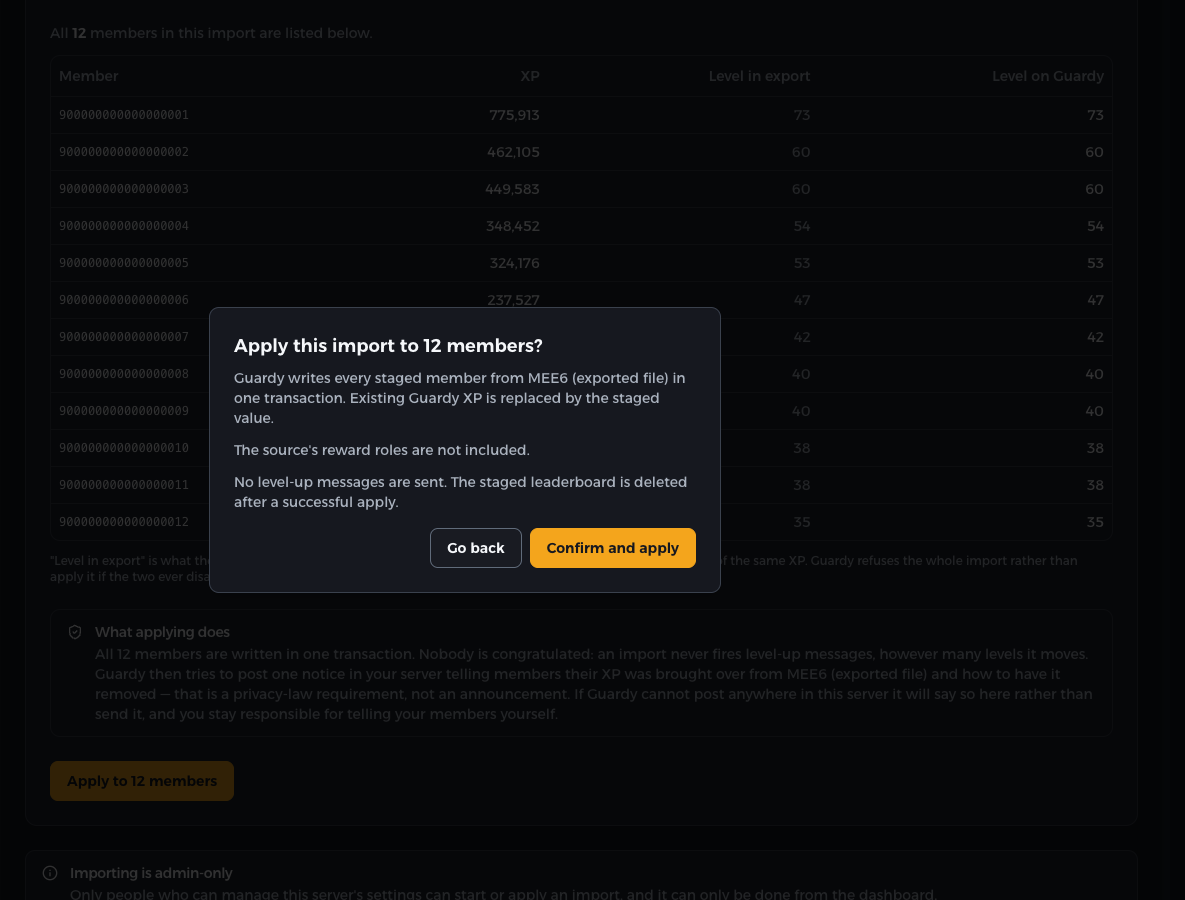
4. Confirm once. The final dialog shows the member count, notes that reward roles from a file are not included, skips level-up messages, and clears the preview data only after a successful import.
Research before switching
Check the evidence, then move.
Compare current pricing and feature tradeoffs, inspect the level-curve proof, or consider MEE6 alternatives before importing anything.
Moving from another leveling bot? Use the source-specific migration guide for your export.
Keep the progress
Your community earned those levels.



Bring them with you. Guardy Bot shows you every change first, and you decide when it goes live.